Kakobuy QC Finder:QC PhotosStraight From the Warehouse
Kakobuy QC Finder by KakoFind. Paste a link from Kakobuy, CNFans, Mulebuy, Joyabuy, Taobao, Weidian or 1688, we'll automatically pull the original Quality Check photos. Free and instant.
Looking for QC finds before you order? The free KakoFind QC Finder takes a link from any agent, detects whether it is Taobao, Weidian or 1688 and shows real high-resolution Quality Check photos from the warehouse. The KakoFind database alone holds 39,000+ QC photos of 2,100+ verified items, and if you have no link you can search by photo.
Thanks to integrations with the largest databases, our Kakobuy QC Finder shows exact details of materials, boxes and tags, protecting you from buying weak batches (bad batches).
QC Finder works great alongside the rest of KakoFind: find an item in the Kakobuy Spreadsheet, convert any agent link in the link converter, grab the latest Kakobuy coupons before you pay, then check its QC here all free and without sign-up.
What do QC photos look like? Examples from the warehouse
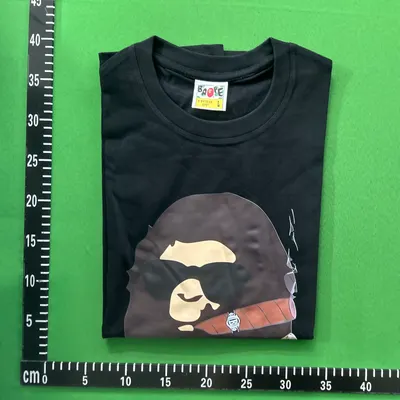
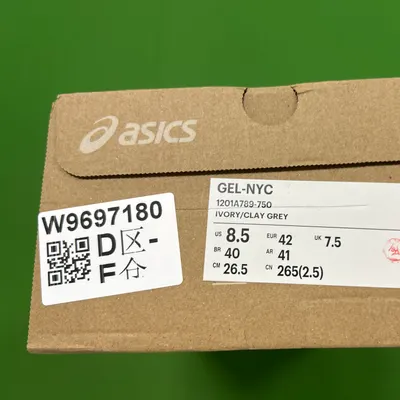
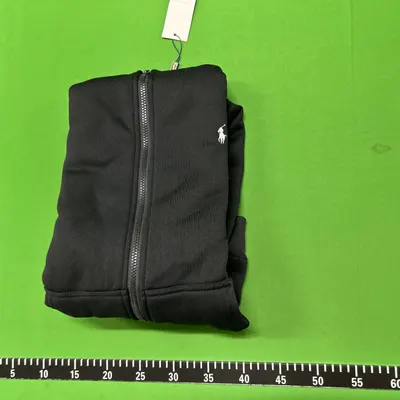
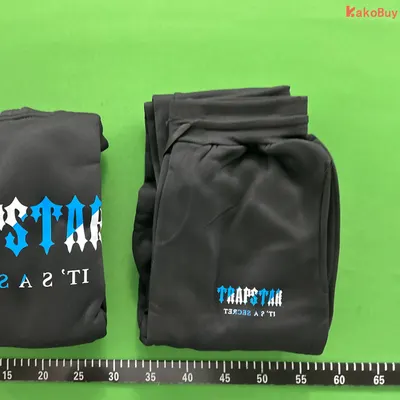
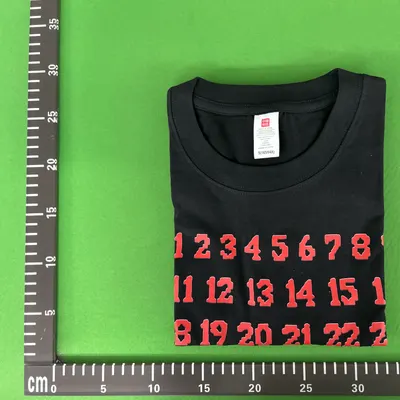
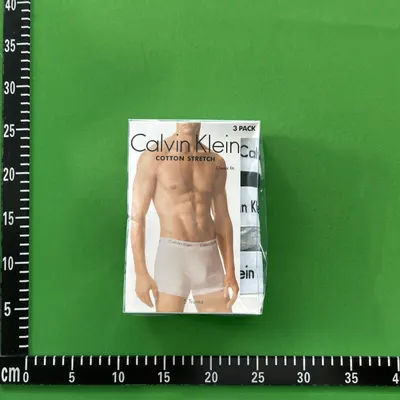
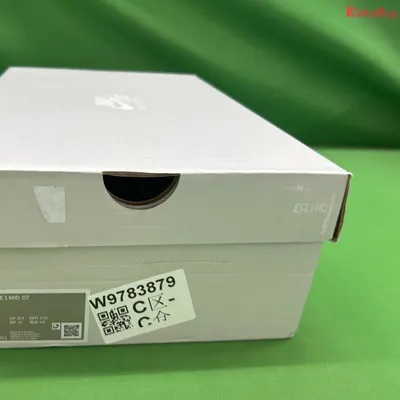
This is what real Quality Check photos look like once you paste a link above. The warehouse puts the item on a mat with a centimetre scale and shoots it from several angles, together with tags, packaging and the size label.
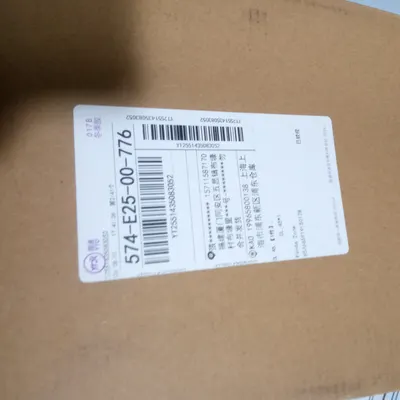
T-shirt on the measuring mat, chest width and sleeve length are visible.Size label on the shoebox, this is where you check you got the size you ordered.Hoodie with its tag, embroidery and tags are the fastest way to judge a batch.Two pieces side by side, that's how you compare the print between units.Close-up of the print and inner tag, font and letter spacing.Original packaging, check the set is complete and the box is intact.Box from every side, dents only show up on the photo.Shipping carton, the last photo before it leaves the warehouse.
Above are real QC photos from the Kakobuy warehouse, pulled through QC Finder. Paste your own link to see photos of the exact item you want to order.
QC Finder, find QC or QC find: are they the same?
Yes. find QC, QC find and QCFinder are all common names for the same tool, a Quality Check photo finder. The Kakobuy community says “find QC” when they simply want to see an item's QC photos from the warehouse. Our Kakobuy QC Finder does exactly that: paste a link and we find the QC photos, whatever you call it.
find QC / finds QC: the most common phrasing on Discord. “Anyone got a find QC on these?” simply means: show me the warehouse photos before I order.
QC find / QC finds: the same thing from the other side: a ready link to an item that already has QC photos.
QCFinder, QCFind, finder QC: the one-word spelling and the reversed word order. Typed into Google as a single word, they mean exactly this tool.
QC checker / QC check: the emphasis is on checking: you look at the photos and decide whether the batch is worth its price.
quality check finder: the full name. QC stands for Quality Check, the inspection done in the agent's warehouse before shipping.
They all lead to the same place: paste a link, get the photos. You don't need the jargon, the search box at the top of this page handles every one of these cases.
Free QC checker online: no account, no limits
Most QC checkers require an account with a specific agent, or only show photos from your own orders. This QC finder works differently: it pulls photos from other people's earlier orders, so you can see a Quality Check even for an item you haven't bought yet. That is exactly the point when you want to check a batch before spending money.
No sign-up, no search limit, no paid plan. If an item has no QC in the database yet, it usually means nobody has ordered it through that agent so far, in that case look for an alternative link in the item database or ask on Discord.
QC Finder for every agent and store
Our QC Finder isn't limited to one agent, it recognises the link and pulls QC photos from the warehouse:
Kakobuy QC Finder: paste a Kakobuy link and see QC photos from the warehouse.
CNFans QC Finder: we also support CNFans links.
Mulebuy & Joyabuy QC: paste a Mulebuy or Joyabuy link.
Taobao, Weidian, 1688: paste a store link and the converter finds the item and its QC.
What is QC (Quality Check) and why check it?
QC stands for Quality Check: the inspection an agent's warehouse performs after receiving an item from the seller and before shipping it to you. A worker unpacks the product, puts it on a table and takes a series of photos: the whole item, tags, sole, stitching, box and accessories. Those photos land in your panel, and you decide from them whether the item ships onward or goes back to the seller.
The catch is that you only see your own QC after paying for the item. QC Finder flips that order: it shows QC photos from orders other people placed earlier on the exact same link. You get to see the real quality of a batch before spending a single zloty.
How to read QC photos: what to look for
Looking at photos achieves nothing if you don't know what you're looking for. This order catches most problems:
Shape and proportions: compare the silhouette against the original. The most common miss is a toe box that's too bulky or a shaft that's too short.
Colour: remember the warehouse lighting. If the colour is consistently too light or too dark across several QC sets from the same link, it isn't the lamp's fault.
Stitching and glue: uneven stitches, glue squeezing out along the sole and crooked terminations all point to a weak batch.
Tags and prints: typeface, letter spacing, print quality. This is where a good batch is easiest to tell from a budget one.
Box and accessories: the size label, the paper, spare laces. Details that only show up in a photo.
Number of photos: if the database holds a dozen QC sets for one link, you have enough material to compare batches. A single photo is not enough to form a view.
The most common flaws visible in QC
The issues that come up most often in the Kakobuy community, and that QC catches before shipping:
Wrong size in the box: the seller shipped a different number than ordered. You can see it on the label.
Scratches and marks: especially on leather and patent finishes.
Discolouration: typical on dark materials and after a pre-shipping wash.
Crooked logo or embroidery: off by a few millimetres, but glaring in person.
Damaged box: cosmetic, but it matters on pricier pairs if you plan to resell.
If any of these show up on your own QC, you can request an exchange or a return in the agent's panel, before the parcel sets off. We walk through it step by step in our tutorials.
QC Finder by category
What to focus on depending on what you're ordering:
Shoes: toe box shape, sole, size label in the box, symmetry between the two units.
Clothing: embroidery and print quality, fabric weight, inner tags, even stitching.
Bags: hardware, serial number, even seams, lining quality.
Watches: dial, indices, case engraving, bracelet fit.
Accessories: engraving typeface, metal quality, complete packaging.
Not sure where to start? Pick a verified item from the Kakobuy Spreadsheet: every entry comes with a ready link you can paste straight into the QC Finder above.
Glossary: terms you'll meet around QC
QC photo threads and Discord discussions are full of shorthand. The essentials:
Batch: a specific production run. The same model from different batches can differ noticeably in quality and price.
Bad batch: a weak run: poorer materials, crooked details. Catching one is exactly why you look at QC.
Find: a verified link to a specific item from a specific seller. Our spreadsheet is, in practice, a database of finds.
Haul: a whole order, usually several items shipped together to spread the shipping cost.
Rehearsal: a trial packing at the warehouse: you check the parcel's weight and dimensions before paying for shipping.
Warehouse: the agent's warehouse where your items sit until shipping, and where QC photos are taken.
Know the terms but not what shipping such a haul will cost? Work it out in the shipping calculator.
Frequently asked questions about Kakobuy QC Finder
What is Kakobuy QC Finder?
Kakobuy QC Finder is a free KakoFind tool that, after you paste a product link (Kakobuy, CNFans, Taobao, Weidian, 1688), shows real QC (quality check) photos from the agent's warehouse, taken on earlier orders. Also known in the community as find QC.
Is Kakobuy QC Finder free?
Yes. QC Finder by KakoFind is completely free and requires no registration or login.
Which platforms does QC Finder support?
QC Finder supports links from Taobao, Weidian, 1688 and all popular agents: Kakobuy, CNFans, Mulebuy and Joyabuy. The built-in converter auto-detects the platform and item ID.
Why check QC before buying items?
QC photos show the real condition of the product materials, box and tags from a specific batch. This helps you avoid weak batches (bad batches) and buy only verified quality.
What's the difference between “find QC” and “QC Finder”?
It's the same thing. “find QC” is the casual term for searching QC photos, while “QC Finder” is the name of the tool that does it. On KakoFind find QC and QC Finder are one and the same, free and no sign-up.
What if QC Finder finds no photos?
No photos means nobody has bought this item through that agent yet. Try pasting the link to the exact same product from Taobao or Weidian, QC photos are often tied to the original store link.
How often are new QC photos added?
The QC photo database grows every day with new community orders. If there's no QC for your item today, come back later, fresh warehouse photos keep arriving.
Does QC Finder work without an agent account?
Yes. You don't need a Kakobuy account, or an account with any other agent, to view QC photos. Paste a link and look, no login, no email required. You only need an account once you actually decide to order the item.
How many QC photos does the finder show?
As many as the database holds for that link, popular items often have dozens, from different orders and different batches. You can open each photo enlarged and browse with the arrows to compare units side by side.
Do the QC photos show the exact unit I will receive?
No, these are photos from earlier orders on the same link. They show what to expect from that seller and batch, but your own unit gets its own QC once you pay for the item. The more consistent photos there are, the safer the purchase.
Is QC Finder safe, and do you store my links?
The link you paste is used only to query the QC photo database. We require no login and no personal data, and the tool is completely free, details in our legal notice.
1 / 1100%
Analysis generated by AI (GPT-4o mini). It may contain mistakes.